The Most Common Tech Scams Targeting Seniors in 2026
Technology has made it easier than ever to stay connected with family, manage finances, shop online, and manage important accounts. Unfortunately, scammers continue to develop increasingly sophisticated methods to target unsuspecting users.
While anyone can become a victim of online fraud, seniors are often targeted because scammers believe they may be less familiar with evolving technology threats.
Knowing what to look for is one of the most effective ways to avoid becoming a victim.
Fake Microsoft and Tech Support Scams
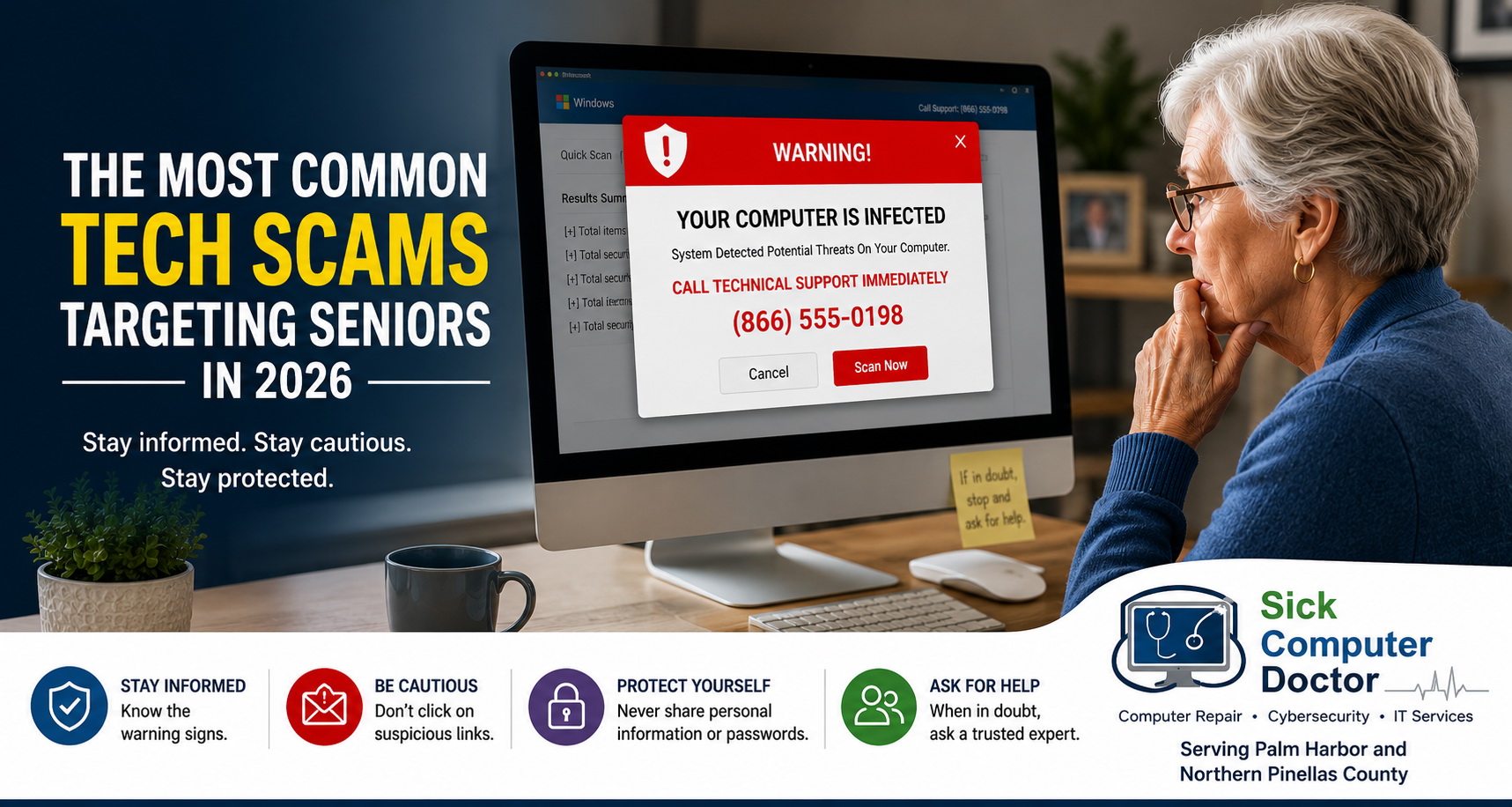
One of the most common scams begins with a frightening popup message claiming that your computer has been infected or compromised.
These messages often state:
- Your computer has a virus
- Your personal information is at risk
- Windows has been locked
- Microsoft has detected suspicious activity
The popup typically includes a phone number and instructs you to call immediately.
The goal is to create panic. Once contact is made, the scammer attempts to gain remote access to your computer, install malicious software, or collect payment for services that are not needed.
If you receive one of these warnings, avoid calling the number displayed and seek professional Computer Repair Services instead.
Email Phishing Scams Continue To Grow
Phishing emails remain one of the most successful tools used by cyber criminals.
These emails are designed to look legitimate and often imitate:
- Banks
- Credit card companies
- Amazon
- PayPal
- Government agencies
- Shipping companies
Their goal is to convince you to click a malicious link, download an infected attachment, or enter sensitive account information.
Common warning signs include:
- Urgent requests for action
- Suspicious links
- Unexpected attachments
- Poor grammar or spelling
- Requests for passwords or financial information
Professional Cybersecurity Services can help identify threats and improve your overall digital security.
Fake Purchase and Account Alerts
Scammers frequently send emails or text messages claiming that an expensive purchase has been made using your account.
You may receive messages stating:
- Your bank account has been charged for an expensive subscription you did not order
- Your Amazon account was charged hundreds of dollars
- A PayPal payment was authorized
- A subscription was renewed
- Your bank account has suspicious activity
These messages are designed to trigger an emotional response and encourage immediate action. These types of scams typically originate in overseas calls centers in areas where they are able to bribe local authorities to operate and can quickly move to a new location overnight.
Once they have you on the phone, they get you to install remote support software to take control of your machine via remote access, then blank your screen so they can modify legitimate webpages, and then insist you withdraw large sums of money from your bank account in person to hand over locally, send to another location, or send overseas. Once your money is gone, it can be lost forever.
Instead of clicking links or calling numbers provided in the message, contact the company directly using information from its official website. Do not use any contact methods within the message. They route to the call center.
Remote Access Scams
Many scammers pretend to be technical support representatives.
They may claim:
- Your computer is infected
- Your internet connection has been compromised
- Your email account has been hacked
- Your banking information is at risk
They then request permission to remotely access your computer.
Once connected, scammers may:
- Install malware
- Steal personal information
- Access passwords
- Lock files
- Demand payment
- Combine various methods like buying gift cards, withdrawing money in person, sending money in person, or initiating a wire transfer from your account.
Legitimate companies rarely make unsolicited calls offering technical support. Government agencies like FBI, CIA, or Social Security Administration, will never make unsolicited calls or want to take control of your computer.
Gift Card Payment Scams
One of the clearest warning signs of a scam is a request for payment using gift cards.
Scammers often ask victims to purchase:
- Apple Gift Cards
- Google Play Cards
- Steam Cards
- Retail store gift cards
They may claim the payment is necessary to:
- Remove a virus
- Unlock a computer
- Resolve a government issue
- Prevent account suspension
Legitimate businesses and government agencies do not request payment using gift cards.
Social Media Impersonation Scams
Social media has become another common target for scammers.
Criminals create fake profiles that impersonate:
- Friends
- Family members
- Businesses
- Celebrities
- Government officials
Victims are often asked for money, gift cards, personal information, or account verification codes.
Always verify unusual requests through a separate method of communication before responding.
How To Protect Yourself
The best defense against scams is caution.
Before taking action:
- Slow down
- Verify the source
- Avoid clicking unexpected links
- Never provide passwords
- Never allow remote access to unknown individuals
- Contact a trusted professional if something seems suspicious
- Contact local law enforcement
Remember that scammers rely on urgency and fear to pressure victims into making quick decisions.
What To Do If You Think You’ve Been Scammed
If you believe a scammer has accessed your computer or personal information:
- Disconnect from the internet.
- Change important passwords.
- Contact your financial institutions if necessary.
- Run professional diagnostics.
- Monitor accounts for suspicious activity.
Taking action quickly can often reduce the damage caused by a scam.
Helping Palm Harbor Residents Stay Safe Online
At Sick Computer Doctor, we help customers throughout Palm Harbor and Northern Pinellas County identify suspicious activity, remove malware, secure compromised systems, and recover from technology-related scams.
If you’re unsure whether an email, popup message, text message, or phone call is legitimate, it’s always better to ask before taking action.
Services We Offer
SickComputerDoctor.com provides the following professional solutions throughout Northern Pinellas County:
Leave a Reply