
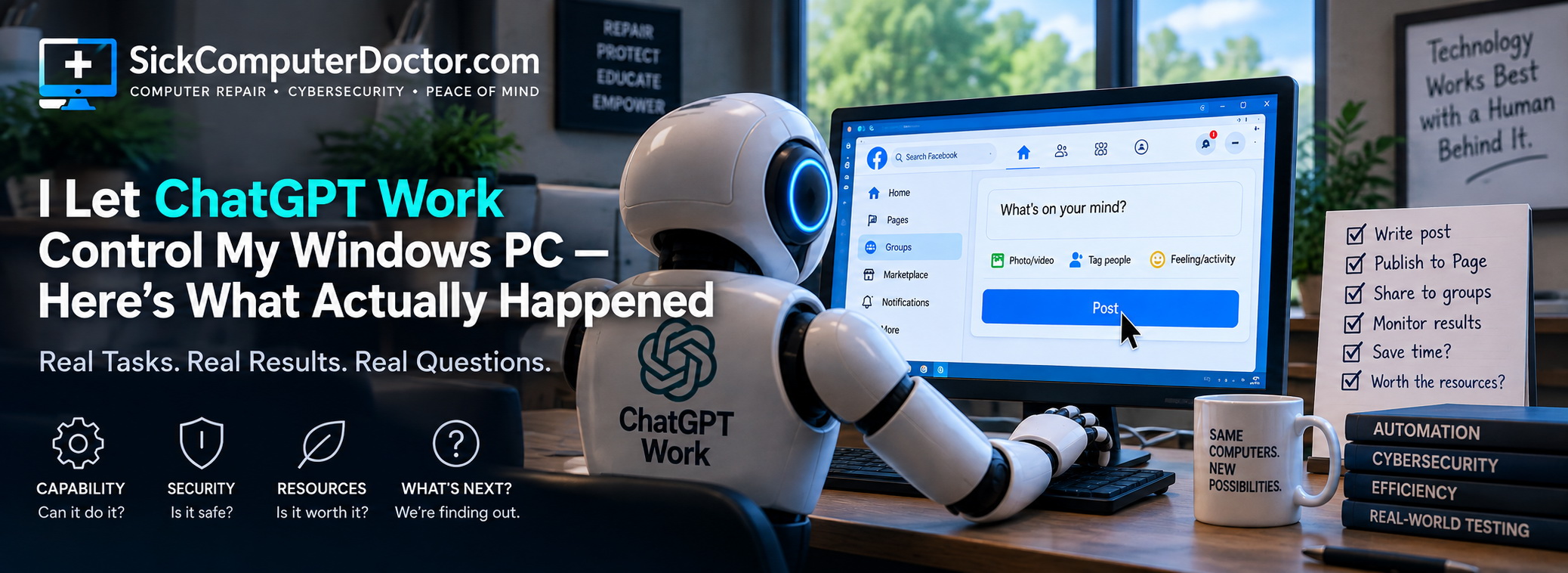
Artificial intelligence is moving beyond answering questions in a chat window.
Newer AI tools can interact with computers much more like people do. They can open browsers, navigate websites, click buttons, fill out forms, work with files and carry out sequences of tasks instead of simply telling you how to do them.
I’ve been testing that capability with something very real:
I gave ChatGPT Work a job inside my own business.
I run SickComputerDoctor.com, a computer repair and cybersecurity business serving Palm Harbor and surrounding Pinellas County communities. I wanted to find out whether AI could take over some of the repetitive work involved in running my online marketing campaigns.
This wasn’t a demonstration created specifically for AI.
It involved my real website, real Facebook Page, real local Facebook groups, real Google Business Profile and real Windows computer.
Some of it worked remarkably well.
Some of it didn’t.
And troubleshooting the failures has taught me something important:
There is a big difference between an AI knowing what needs to be done and a computer actually doing it.
It has also raised two questions I didn’t fully appreciate when I started:
What are you actually giving an AI access to when you allow it to control your computer?
And:
Even if AI can perform a task, are the resources required to have AI do it worth spending when a person could accomplish the same thing without them?
This article is a work in progress. I’m documenting the experiment as it happens—including what works, what breaks and what I learn along the way.
The Experiment: Give AI a Real Job
Like most small-business owners, I spend a surprising amount of time doing things that have little to do with the service customers actually hire me to perform.
I repair computers.
But I also have to write articles, maintain a website, publish Google Business Profile updates, create Facebook content, distribute posts to local groups, monitor performance and work on search engine optimization.
None of those jobs is especially difficult by itself.
The problem is that there are a lot of them.
So I started experimenting with ChatGPT Work to see how much of that process it could actually perform.
The objective wasn’t simply:
Can AI write a Facebook post?
We’ve known for a while that AI can generate text.
I wanted to know:
Can it actually run the workflow?
That means determining what needs to be done, preparing the content, opening the necessary websites, navigating the interfaces, publishing the material, distributing it correctly and remembering what it has already accomplished.
That’s a much harder problem.
Knowing What to Do Isn’t the Same as Being Able to Do It
This became one of the most interesting discoveries in the experiment.
ChatGPT could understand the workflow remarkably well.
It could determine which article we were promoting, prepare Facebook copy, understand which local groups were appropriate, remember posting restrictions and determine the sequence of actions necessary to complete the campaign.
Then it had to interact with the computer.
That’s where things became considerably more complicated.
There are actually several layers involved.
The AI has to understand my instruction.
It has to interpret what’s on the screen.
It has to determine the correct next action.
It has to have permission to perform that action.
Then something has to translate that decision into an actual mouse click, keyboard entry or other interaction with the computer.
Finally, Windows, the browser, the application and the website all have to cooperate.
A failure anywhere in that chain can look exactly the same to the person sitting in front of the computer:
ChatGPT didn’t do what I told it to do.
But technically, those failures can be completely different.
When the AI Wasn’t Actually the Problem
We encountered exactly that situation.
Work would understand what I wanted.
It could identify what needed to happen next. In some cases, it could clearly describe the action it was attempting to perform.
But the actual interaction with my Windows computer wasn’t happening correctly.
At first glance, that’s easy to interpret as an AI failure.
If you tell an AI to click something and the button doesn’t get clicked, it seems reasonable to conclude:
The AI couldn’t do it.
Except that wasn’t necessarily what was happening.
There is another component involved: Computer Use.
Computer Use is part of the mechanism that allows the AI’s decisions to become interactions with the graphical interface.
That distinction became important during troubleshooting.
The AI could successfully get through:
What am I looking at?
What should happen next?
What control should I interact with?
and still fail at:
Make the computer actually perform that action.
Those are not the same problem.
As a computer technician, that distinction immediately changes the troubleshooting process.
If the AI misunderstood what was displayed, that’s a reasoning or perception problem.
If it understood the screen but wasn’t permitted to perform the action, that’s a permissions problem.
If it understood the screen, had permission and attempted the appropriate action—but the computer didn’t respond correctly—then the problem may be somewhere in the Computer Use/control layer.
We eventually investigated that possibility deeply enough that I tested a Computer Use-related fix from GitHub to determine whether the control mechanism itself was contributing to the problem.
I didn’t simply install an unknown fix and hope for the best. That’s not how I troubleshoot computers, and giving AI control of a computer isn’t a good reason to abandon normal security practices.
That experience fundamentally changed the question I ask when something goes wrong.
When somebody says:
“The AI couldn’t do it.”
My response now is:
Which part couldn’t do it?
Facebook Turned Out to Be an Excellent Stress Test
Facebook has been one of the most challenging parts of the experiment.
My normal marketing process involves publishing a canonical post to the SickComputerDoctor.com Facebook Page and then distributing it to appropriate community and business groups throughout northern Pinellas County.
That sounds simple.
It isn’t.
Facebook has multiple interfaces for managing a business Page. Different interfaces can expose different options. Group-sharing options can change depending upon how a post is created. Buttons appear and disappear. Dialog boxes change. Individual groups have different posting requirements and restrictions.
We’ve even encountered situations where changing something seemingly unrelated elsewhere in Facebook affected the group-sharing workflow.
A human recognizes something has changed and adapts.
An AI controlling a graphical interface has another problem to solve.
It has to recognize that what it’s seeing is different from what it expected, determine whether that difference matters, figure out the appropriate response and—most importantly—not blindly continue doing something that could produce an unwanted result.
That makes Facebook a surprisingly good test environment for computer-controlling AI.
A Real Workflow Has Consequences
There’s another important difference between this experiment and asking an AI to complete a demonstration task.
These actions are real.
If Work publishes something, my customers can see it.
If it chooses the wrong Facebook group, real people see it.
If it posts something twice, I’ve created duplicate content.
If it clicks the wrong control, there may be consequences.
That’s why successful computer automation can’t simply be measured by whether the AI eventually completes the task.
It also has to complete the task correctly.
And sometimes the safest action is not to continue.
Sometimes the AI Should Stop
This experiment has changed how I think about successful automation.
I don’t necessarily want an AI that will complete every task I give it at any cost.
Sometimes I want it to stop.
If a website suddenly presents something unexpected, a publishing form behaves differently than anticipated, or the system isn’t certain whether clicking a button will create an external action, I would rather it tell me:
“I need you to handle this step.”
I can make one click and give control back.
That’s much safer than having an autonomous system guess.
For business automation, knowing when not to act may eventually prove just as important as knowing how to act.
Then We Hit the Usage Limits
Another lesson has been that successful automation doesn’t necessarily mean uninterrupted automation.
I’ve had Work successfully begin a campaign, navigate Facebook, publish content and distribute it to groups—only to hit a usage limit before the entire workflow was finished.
That introduced a problem I hadn’t really considered when I started the experiment.
What happens when the AI comes back?
Suppose nine Facebook groups have already received a post.
When Work becomes available again, I don’t want it starting over and sending the same post to those nine groups again.
Automation needs state.
It needs to know what was completed, what failed, what remains unfinished and what absolutely should not be repeated.
That becomes increasingly important as AI moves from completing a single task to managing workflows that may continue for hours or days.
What Does “Full Access” Actually Mean?
This is where my computer-repair experiment also becomes a cybersecurity experiment.
Giving an AI permission to interact with your computer is fundamentally different from asking a chatbot a question.
At one point in this experiment, I was confronted with the concept of granting the system Full Access.
Those are two words that should get the attention of anyone who works in cybersecurity.
What does Full Access actually mean?
What can the system see?
What can it modify?
Which applications can it interact with?
What happens when it encounters personal information?
What happens around passwords?
Could it delete something?
Could it publish something?
Could it send something?
Which actions require additional authorization?
And what happens if the AI correctly understands your instruction but the Computer Use layer executes that instruction incorrectly?
They’re security questions.
And they’re questions I intend to keep testing as this experiment continues.
Permission Is Not Intelligence
One of the biggest lessons so far is that intelligence, permission and execution are three different things.
An AI may be perfectly capable of reasoning through a problem while being unable to perform the necessary action.
Giving it permission to perform an action doesn’t guarantee that it will understand the situation correctly.
And understanding the situation correctly doesn’t guarantee that the computer-control mechanism will successfully execute the intended action.
So there are at least three separate questions:
Does the AI know what to do?
Is the AI allowed to do it?
Can the computer-control system successfully make it happen?
From the user’s perspective, all three failures may look identical.
From a troubleshooting perspective, they’re completely different.
Just Because AI Can Do Something, Should We Use It?
There’s another question this experiment has made me consider.
What does it cost for AI to do the job?
I’m not talking about what my subscription costs.
I’m talking about resources.
AI systems operate on enormous computing infrastructure. Data centers require electricity to run servers and supporting equipment. Cooling those systems can involve water consumption, and additional resources are involved in building and operating the infrastructure itself.
Every time I ask an AI system to perform work, computation has to happen somewhere.
That leads to a question that receives considerably less attention than whether AI can automate something:
Is using AI to perform this particular task an efficient use of those resources?
Suppose there is a repetitive computer task that takes me two minutes to perform manually.
If I can accomplish it almost immediately on the computer sitting in front of me, does it make sense to involve remote data centers and powerful AI models simply to avoid doing it myself?
Maybe.
There are legitimate reasons the answer could be yes.
If AI saves a few minutes once, the benefit may be insignificant.
But if it eliminates thousands of repetitions, the calculation changes.
If AI allows one person running a small business to accomplish work that would otherwise require another employee, the calculation changes again.
If the AI can complete several tasks simultaneously while I repair a customer’s computer, the value of those saved minutes may become substantial.
But there’s another side.
What if I spend ten minutes watching AI struggle with something I could have done manually in two?
What if it makes several attempts?
What if those attempts require additional processing?
What if I then spend another twenty minutes troubleshooting the automation?
At that point, did I automate anything?
Or did I simply move the work somewhere else while consuming additional resources in the process?
That means I need another way to evaluate the success of this experiment.
Not simply:
Did the AI eventually complete the task?
But:
How much time did it actually save me?
How many attempts did it require?
How much troubleshooting was necessary?
Could I have completed the task manually before the AI finished trying to automate it?
And beyond my own time:
What computing, electricity, cooling and other data-center resources were required to save those minutes?
I don’t currently have enough information to calculate the environmental cost of an individual ChatGPT Work task accurately.
That’s important to acknowledge.
AI workloads differ. Models differ. Data centers differ. Electricity sources differ. Cooling systems differ. The amount of computation required for one task can be very different from another.
So I’m not going to manufacture a number and pretend I know how many watts or gallons of water my Facebook campaign consumed.
But not knowing the exact number doesn’t make the question meaningless.
It means the question deserves investigation.
As AI becomes capable of doing more things for us, perhaps “Can AI do this?” shouldn’t be the final test.
We should also be asking:
Is this particular job worth having AI do?
I’m Troubleshooting AI the Same Way I Troubleshoot a Computer
When a customer tells me:
“My computer doesn’t work.”
That’s the beginning of the diagnosis.
It isn’t the diagnosis.
I’m discovering the same thing about AI.
“The AI doesn’t work” isn’t particularly useful either.
Something failed.
What failed?
Did ChatGPT misunderstand my instruction?
Did it incorrectly interpret what was displayed?
Did it understand the screen but lack permission?
Did the browser fail?
Did Facebook change its interface?
Did Windows interfere?
Did Computer Use fail to translate the AI’s intended action into an actual mouse or keyboard action?
Did the service hit a usage limit?
Did an earlier action change the state of the application?
Or did the AI simply make a mistake?
Those failures may look almost identical from the outside.
Technically, they’re very different.
You can’t fix a problem until you know which problem you actually have.
The technology may be new.
The troubleshooting principle isn’t.
Is AI Going to Replace the Person Sitting at the Computer?
Based on this experiment so far, I don’t think that’s even the most interesting question.
The more interesting relationship is between human judgment and machine execution.
There are portions of my marketing workflow that AI can perform considerably faster than I can.
It can research.
It can compare information.
It can prepare content.
It can keep track of complicated campaign rules.
It can analyze results.
And increasingly, it can perform some of the mechanical work required to carry those decisions out.
But I still decide what gets published.
I decide which risks are acceptable.
I recognize when something on the computer doesn’t look right.
And when the automation reaches something it shouldn’t decide for me, I want it to stop.
That’s not necessarily failed automation.
That’s properly bounded automation.
Five Questions I’m Asking Now
When I started this experiment, the question was fairly simple:
Can ChatGPT Work do this?
That’s no longer enough.
Now I’m evaluating AI computer automation with five questions:
Can it do it?
Does the AI have the intelligence and capability to understand the task?
Is it allowed to do it?
Does it have the permissions and access required?
Can it actually execute it?
Can Computer Use reliably translate the AI’s decisions into actions on the computer?
Is it safe to let it do it?
Are the security, privacy and potential consequences acceptable?
Is it worth having it do it?
Does the time and value created justify the computing and physical resources required to accomplish the task?
I didn’t have all five of those questions when this experiment began.
I arrived at them by actually trying to make the technology work.
This Experiment Isn’t Finished
That’s why I’m treating this as a working article.
I’m still using ChatGPT Work with my actual business workflow.
Some parts have worked surprisingly well.
Some parts have failed.
Some failures have turned out not to be AI reasoning failures at all.
Some things that initially didn’t work have worked after changing the workflow.
We’ve encountered Computer Use problems, changing interfaces, permission questions and usage limits.
And now the experiment has raised a question I wasn’t even trying to answer when I started:
At what point does automating a small task consume more resources than the task is worth?
There will almost certainly be more problems and more questions.
Good.
Those problems are where this experiment gets interesting.
I don’t think the most useful information about computer-controlling AI will come from carefully prepared demonstrations where everything works perfectly.
It will come from people using these systems on ordinary computers, with real websites, changing interfaces, security restrictions, permissions, software conflicts, unexpected errors and actual consequences when something goes wrong.
That’s where we’re going to learn what this technology can really do.
But perhaps the ultimate question isn’t whether AI can eventually control our computers well enough to do almost everything we ask of it.
Maybe the better question is:
Which things should we actually ask it to do?
Leave a Reply