
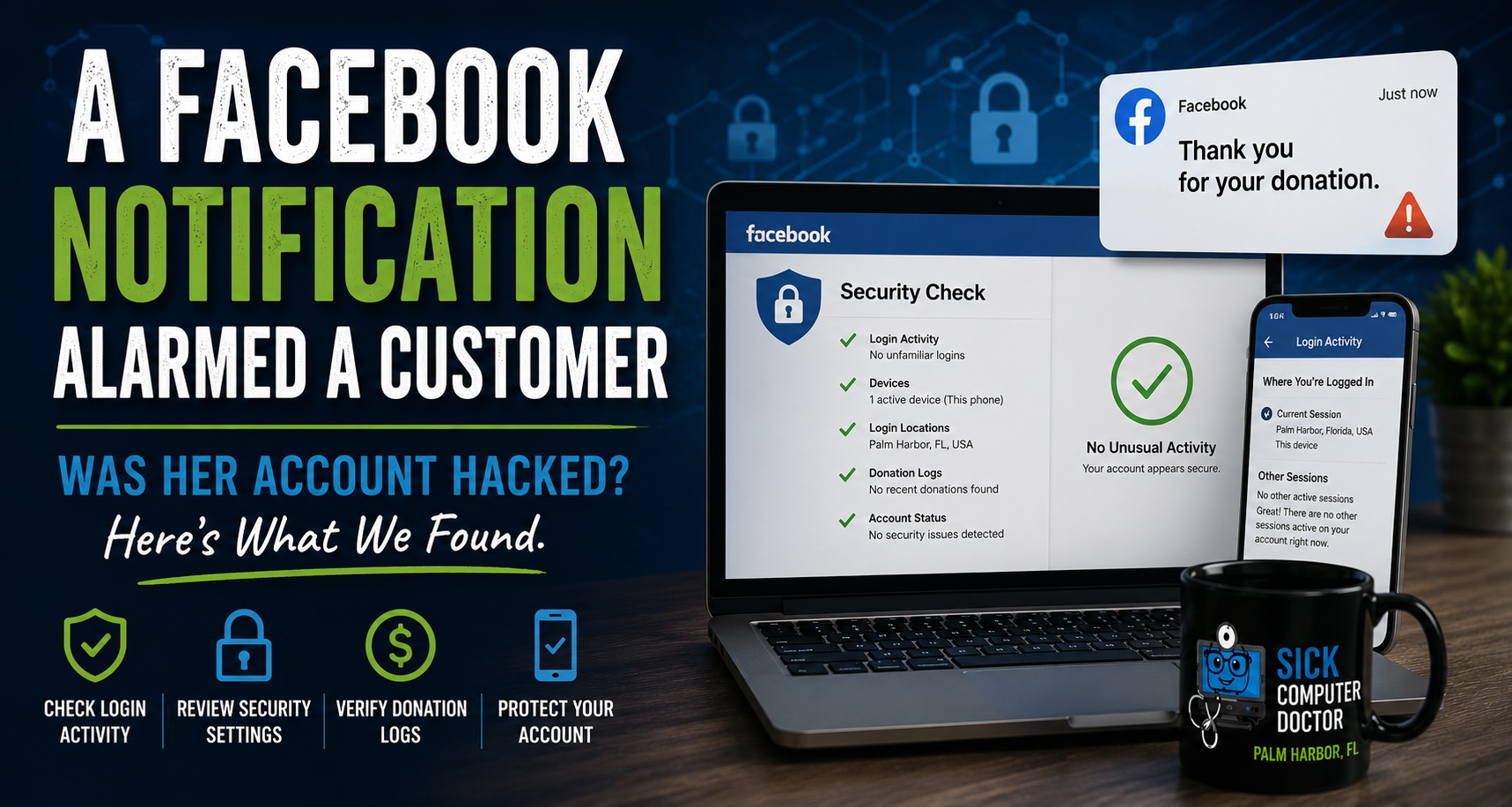
A customer called me recently after receiving a Facebook notification that immediately raised concerns.
The message thanked her for making a donation.
There was only one problem.
She hadn’t made a donation.
Like many people would, her first thought was that someone may have gained access to her Facebook account.
Any time someone receives an unexpected message involving money, donations, payments, or account activity, it is reasonable to wonder whether an account has been compromised. In this case, she wanted help figuring out whether her Facebook account had been hacked or whether the notification was something else.
Instead of guessing, we walked through the account step by step.
Why This Kind Of Notification Raises Red Flags
Unexpected notifications involving money should always be taken seriously.
A message about a donation, purchase, or payment can make someone worry that their account was accessed by someone else. It can also raise concerns about saved payment methods, personal information, and whether additional accounts may be at risk.
That is why suspicious account activity should be checked carefully instead of ignored. It is also why cybersecurity services are not just for businesses. Everyday users can run into confusing security concerns on Facebook, email, banking apps, and other online accounts.
Step 1: Checking Facebook Login Activity
The first thing we checked was Facebook login activity.
This helped us see whether the account had been accessed from an unfamiliar device or location. We reviewed the recent login history, active sessions, and device information to make sure no one else had signed into the account.
Everything pointed back to her own phone.
There were no unfamiliar devices. There were no strange locations. There were no signs that someone else had logged in.
This kind of careful review is part of a good troubleshooting process because not every problem is a broken device. Sometimes the “repair “is helping someone verify whether an online account, app, or security setting is behaving normally.
Step 2: Reviewing Facebook Security Settings
Next, we reviewed the account security settings.
If a Facebook account has been compromised, there may be signs such as password changes, email changes, new devices, or unfamiliar security alerts. We looked through the account to make sure nothing important had been changed.
There were no unauthorized changes.
Her account settings still looked normal, and there was no evidence that someone had taken control of the account.
This is the kind of support many people need when technology becomes confusing. For small business owners and everyday users, managed IT services can include helping verify account access, security settings, and suspicious online activity before a small concern becomes a larger problem.
Step 3: Checking Donation And Payment Activity
Because the notification mentioned a donation, we also checked the donation-related activity available inside Facebook.
The goal was simple: find out whether a donation had actually been made.
We reviewed the donation logs and related account activity. Nothing showed that an unauthorized donation had been processed from her account.
That was the most important part of the call. The notification was alarming, but the account activity did not show evidence that money had been donated through her Facebook account.
What We Found
After walking through the account together by phone, we checked:
- Facebook login activity
- Location history
- Active devices
- Security settings
- Donation logs
- Whether anyone else had logged in using another device
The result was reassuring.
There was no evidence that her Facebook account had been hacked.
The only active login appeared to be her own phone, and the donation records did not show an unauthorized donation.
This does not mean every suspicious notification is harmless. It means the right checks need to be performed before deciding what happened.
What To Do If You Receive A Similar Notification
If you receive an unexpected Facebook notification about a donation, payment, purchase, or login, do not click random links in the notification or panic.
Start by checking your account directly from the Facebook app or website.
Look for:
- Recent logins
- Active devices
- Login locations
- Payment or donation activity
- Recent password or email changes
If something looks wrong, change your password and secure the account.
If you also notice popups, browser redirects, strange programs, or suspicious activity on the device itself, professional malware removal may be needed to make sure the device is not part of the problem.
Why A Calm, Step-By-Step Check Matters
The most important lesson from this call is that fear can make a suspicious notification feel worse than it actually is.
A strange Facebook message can be scary, especially when it mentions money. But jumping to conclusions can lead to unnecessary stress.
A calm, step-by-step review can help determine whether there is a real security issue or whether the account appears safe.
That is why computer repair in Palm Harbor is not always about replacing parts or fixing broken hardware. Sometimes it is about helping someone understand what happened, verify their account security, and feel confident using their technology again.
Need Help Checking A Suspicious Account Notification?
If you receive a strange Facebook notification, suspicious email, fake tech support alert, or unexpected account warning, it is better to check it carefully than ignore it.
At SickComputerDoctor.com, we help local residents review suspicious account activity, check device security, and understand whether an alert appears legitimate.
If you are unsure what you are looking at, contact us for help before clicking links, entering passwords, or assuming the worst.
Services We Offer:
SickComputerDoctor.com provides the following professional solutions throughout Northern Pinellas County:
Leave a Reply